01CHECK YOUR BALANCE
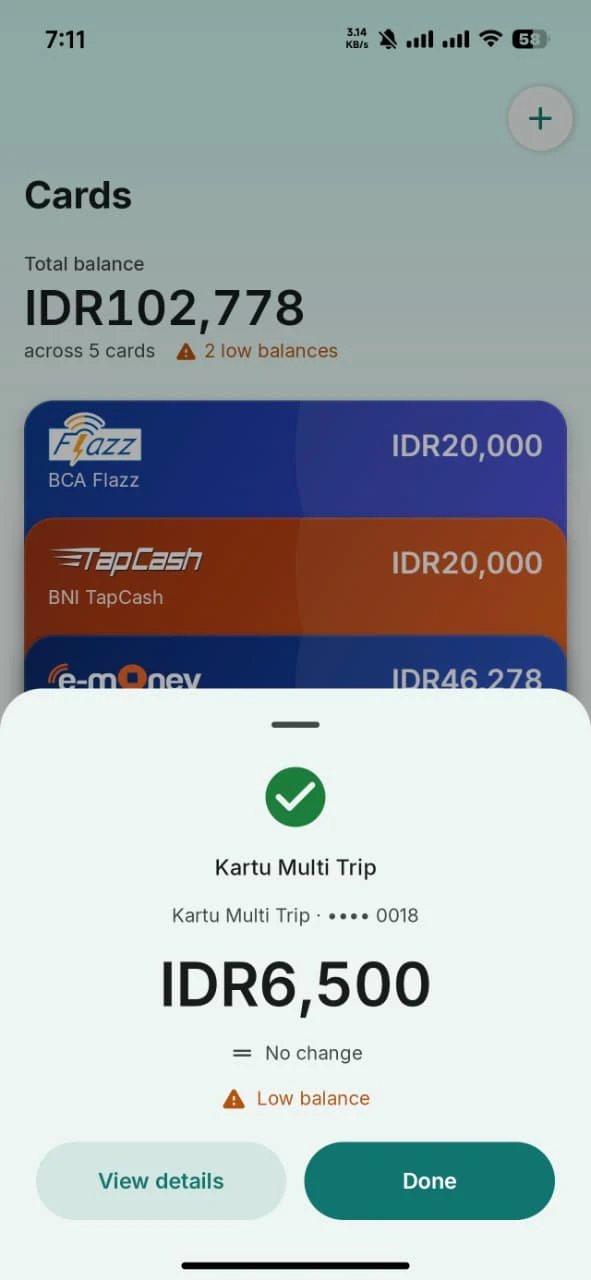
Check balances with NFC
Hold a card near your phone to read its latest balance. No need to type in a card number.
 TapCard
YOUR E-MONEY CARDS, BETTER ORGANIZED
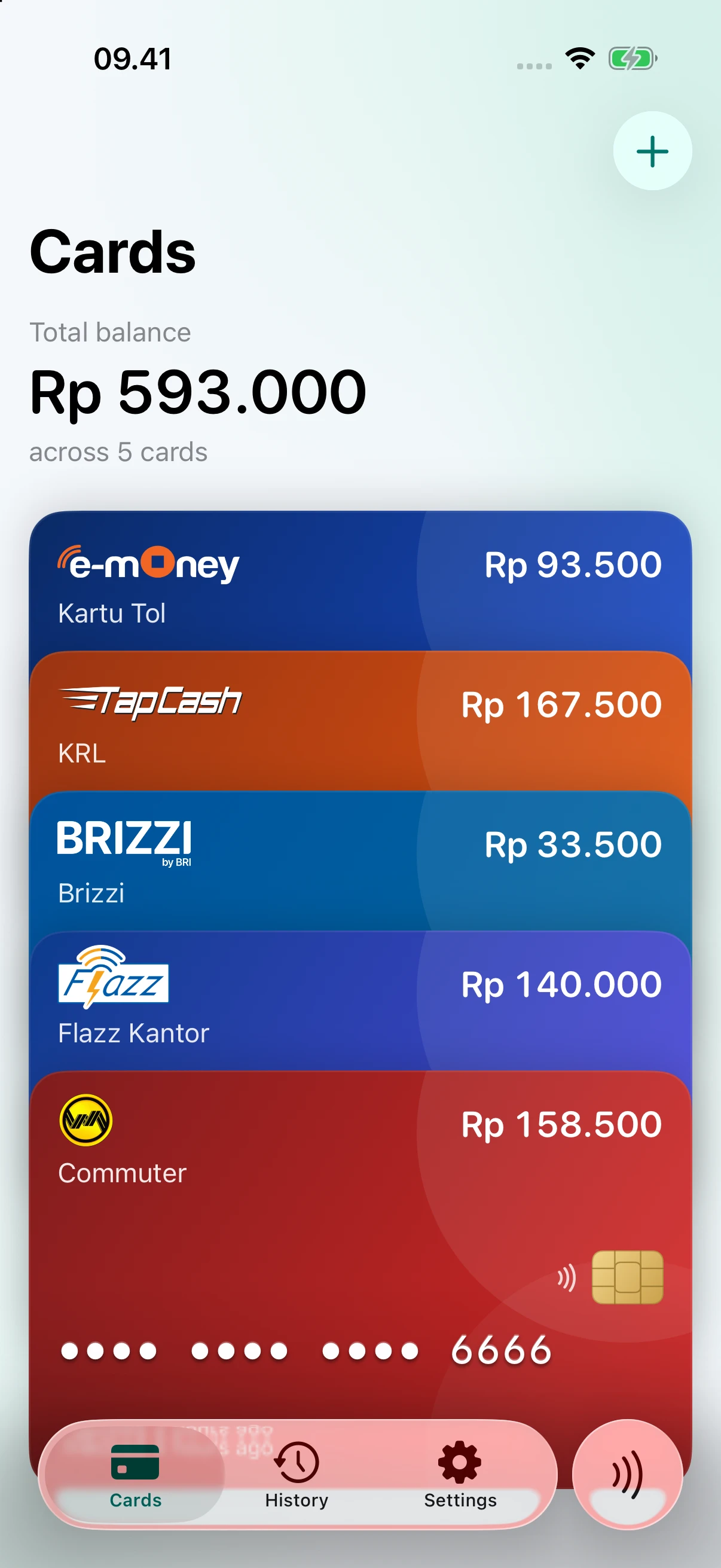
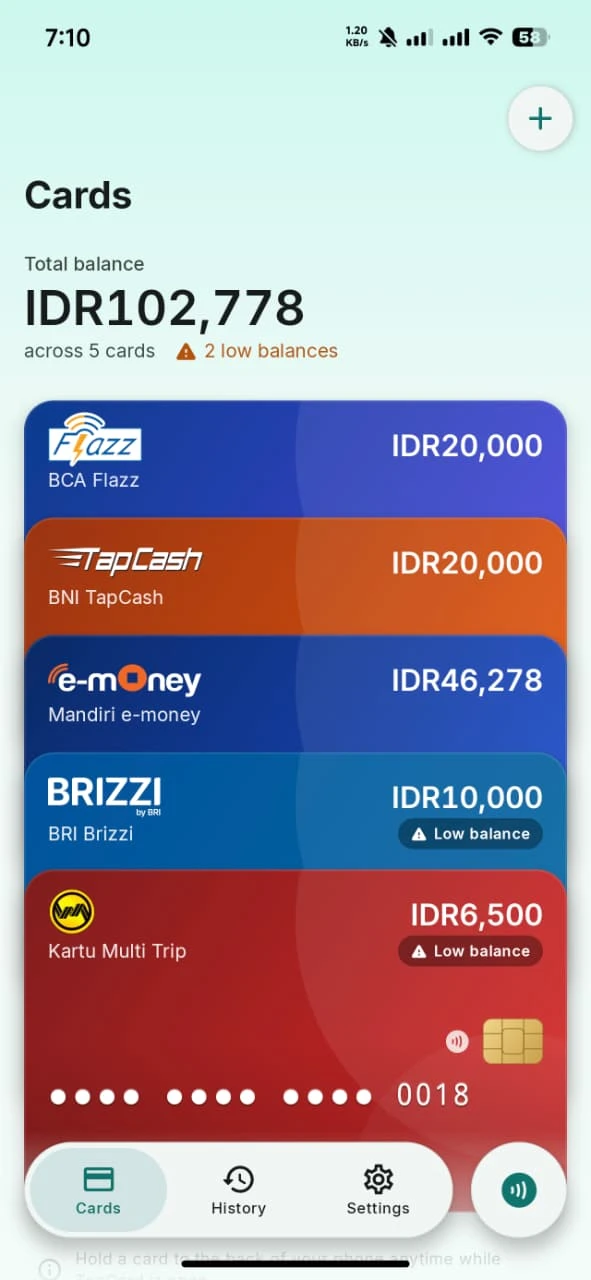
Check balances, save your cards, and view transaction history with NFC. One simple app for iOS and Android.
No account. Your data stays on your device.
SUPPORTED CARDS
Compatibility depends on the card generation and your device’s NFC capabilities.
Card compatibility guideTHE EVERYDAY ESSENTIALS
From a quick check before you leave to a report after your trip.
01CHECK YOUR BALANCE
Hold a card near your phone to read its latest balance. No need to type in a card number.
02YOUR SAVED CARDS
Give each card a name and color. See individual balances in one organized place.
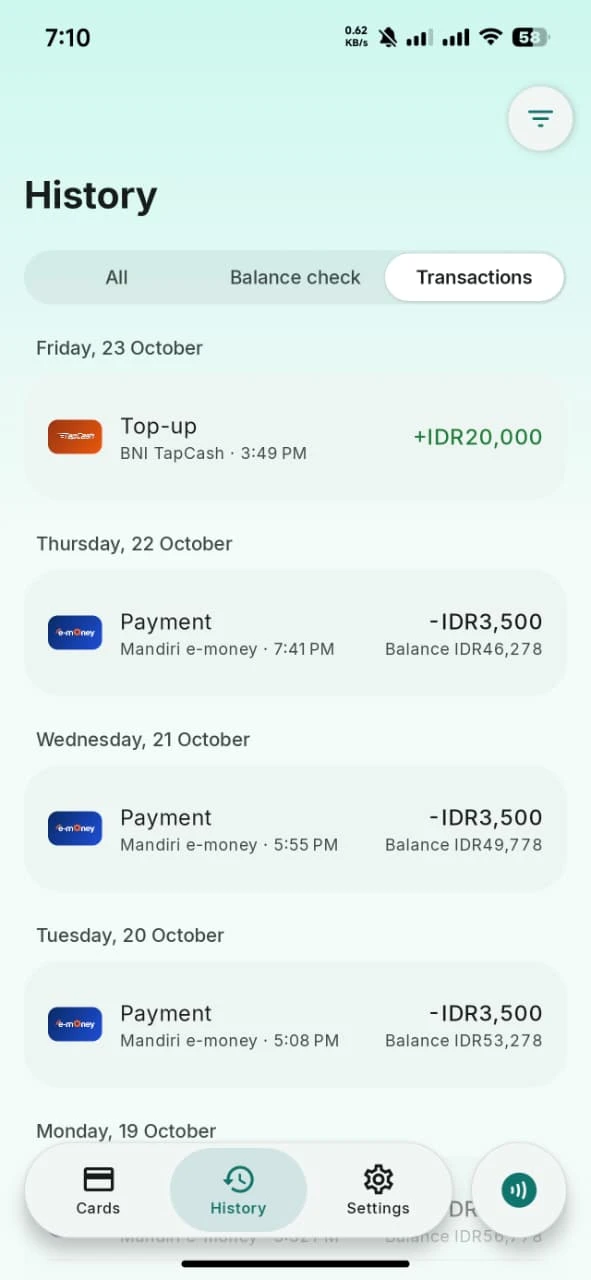
03TRANSACTION HISTORY
View balance changes and transactions available on the card’s chip, with a record of each balance check.
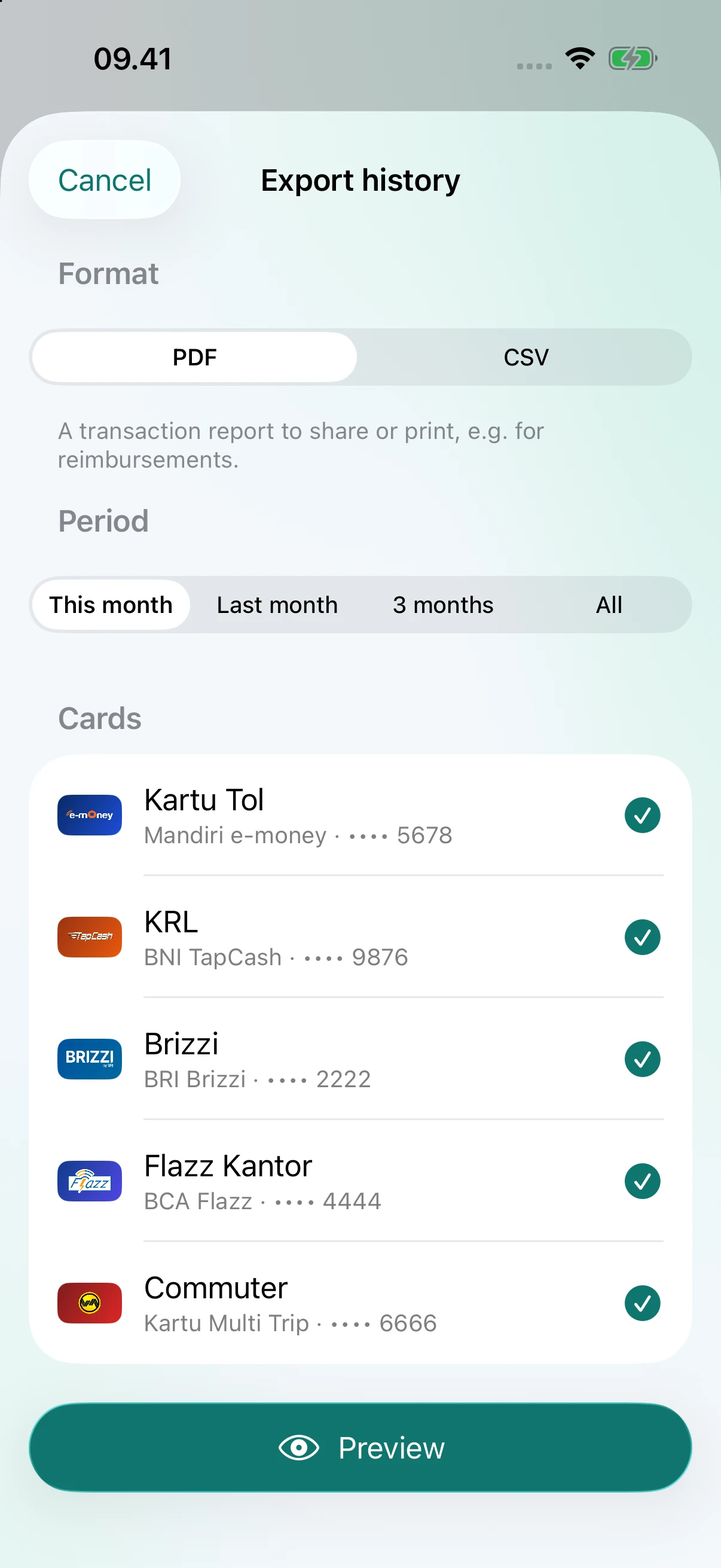
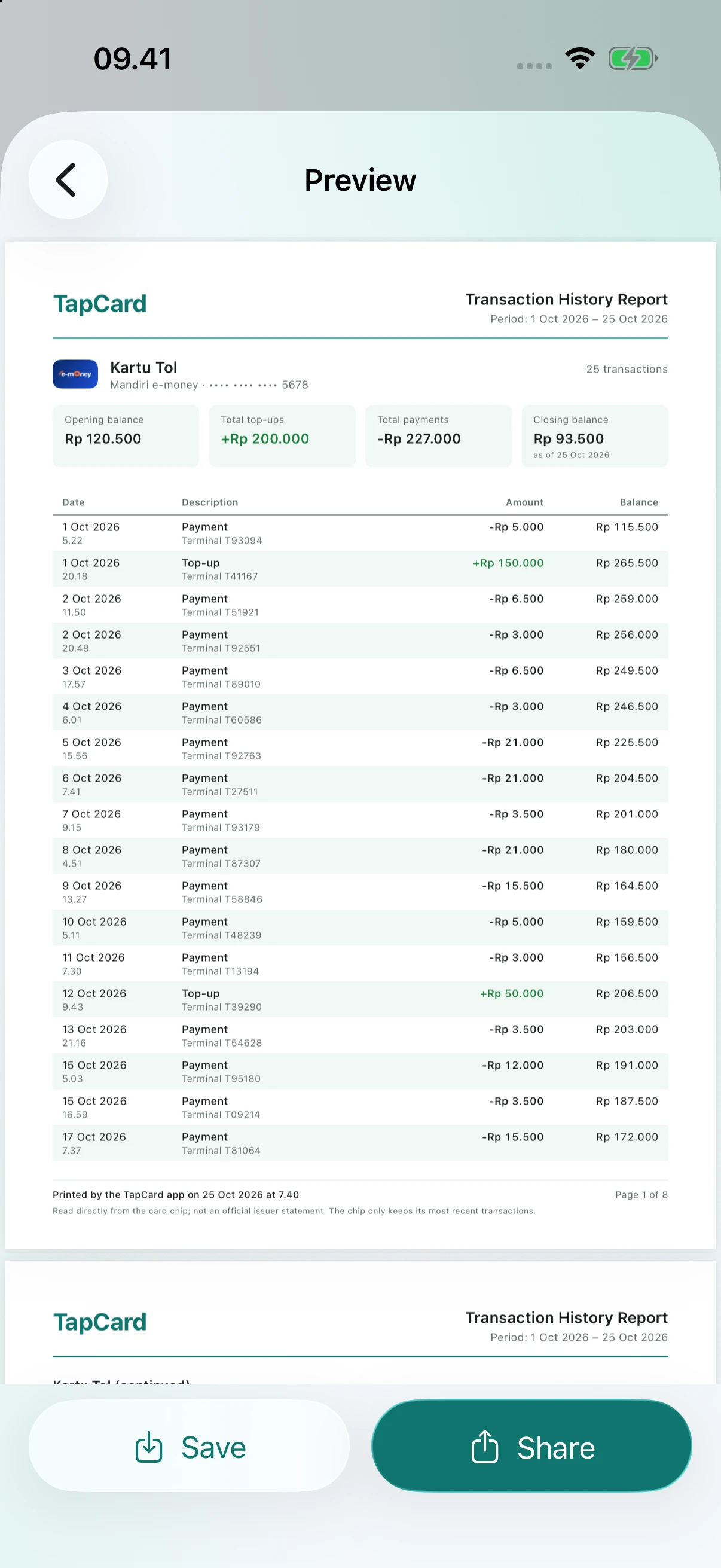
04EXPORT REPORTS
Choose your cards and date range. Save or share reports for your records and expense claims.
HOW IT WORKS
Use an NFC-enabled phone and a supported card.
Start a scan in the app. Make sure NFC is enabled on Android.
Place one card against your phone’s NFC antenna and hold it still until the scan finishes.
See the latest balance. Save your card to build a history with each new scan.
PRIVATE BY DESIGN
TapCard needs no account and does not send your card data to a server. You decide what to keep, when to share it, and when to delete it.
Read our privacy policyScanning cards and viewing saved history work offline. You need a connection to open online support, send email, or share files with online services.
TapCard reads the balance and history available on your card. Use your card issuer’s official services for top-ups, pending balance activation, or transaction issues.
The saved balance comes from your last scan. Scan again after a payment or top-up to read the latest balance from the card’s chip.